
Lunar Lander | RL Environment
An article by Scienceinsight
Article AI156
Setting up an Anaconda environment for simulation
Simulation environment by Farama Foundation, former OpenAI
Introduction
In aerospace engineering, precise landing maneuvers are among the most demanding tasks, particularly when it comes to the recovery of launch vehicles. This problem is addressed through a combination of proven methods of trajectory optimization and heuristic control. Approaches based on physical models and numerical optimization are employed. However, with advances in machine learning, especially in deep reinforcement learning, a paradigm shift is emerging. Modern neural networks are now capable of modeling complex decision-making processes while approximating the Bellman equation, a central concept of dynamic programming. This development opens up new possibilities for maneuvering spacecraft optimally not solely on the basis of predefined control rules but through continuous learning and real-time adaptation.
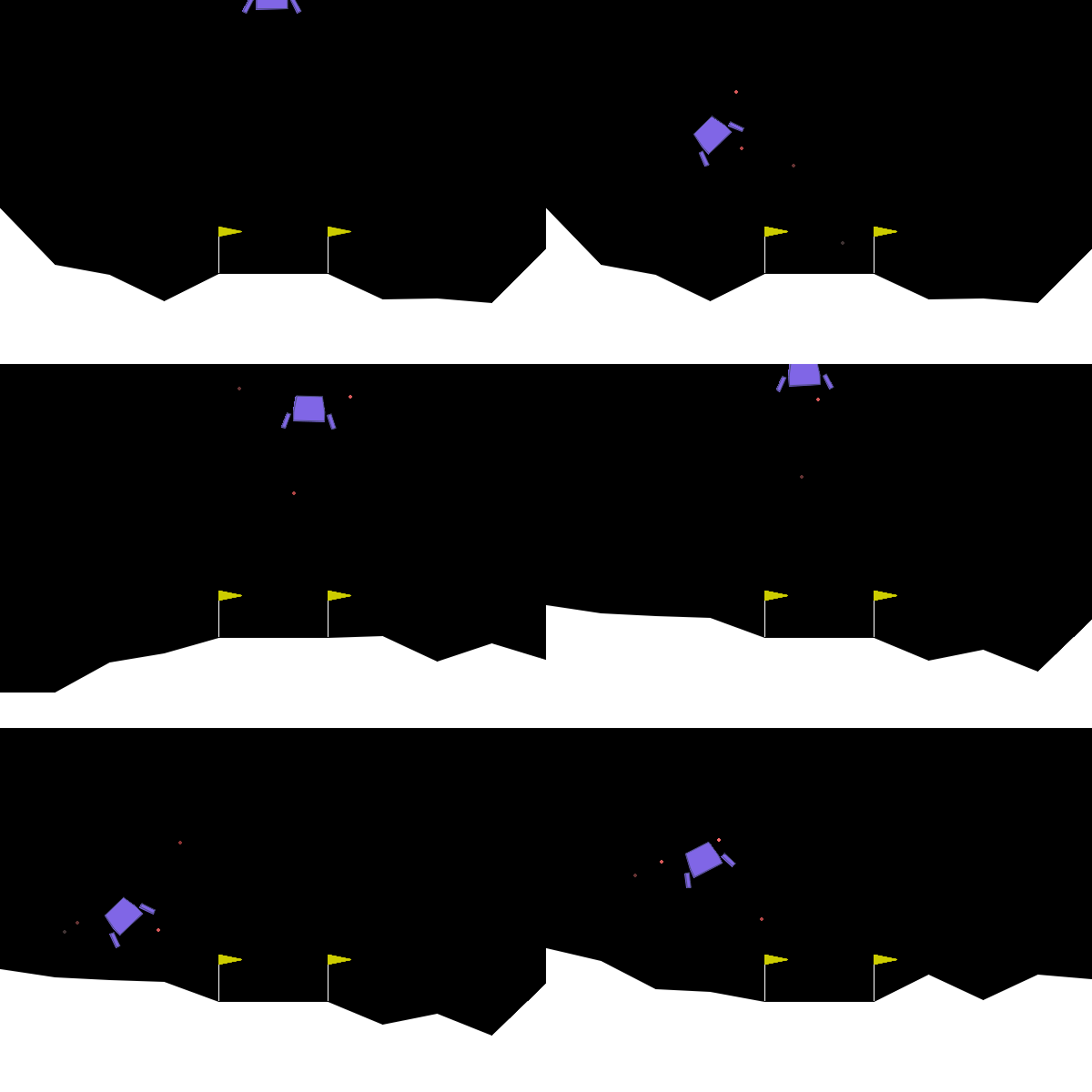
Lunar Lander - Copyright: Farama Foundation (former OpenAI Gym)
Within the scope of this project, a Reinforcement Learning (RL) agent is being developed that performs the autonomous landing of a virtual rocket. For this purpose, a custom-built simulation environment based on the historically known OpenAI Gym library*** is used. This environment realistically models the physical conditions of a rocket landing and provides the learning agent with a controlled playground for testing its strategies. The advantage of this approach lies in the fact that the agent learns through repeated interaction with the environment which actions lead to a successful landing and which do not, without explicit instructions on "how" to do so. Rewards serve as a feedback system and specifically drive the learning process forward.
***) Farama Gymnasium library as the current standard
The algorithm
We are focusing on a challenging scenario: simulating the landing of a rocket. The chosen learning approach is based on an advanced Reinforcement Learning algorithm called "Actor-Critic with Experience Replay" (ACER). This method represents an evolution of the Actor-Critic technique and is distinguished by exceptionally stable and efficient learning processes. The ACER algorithm combines the stability of on-policy Actor-Critic methods with the sample efficiency of off-policy learning by utilizing a replay buffer and importance sampling. It employs the Retrace algorithm to compute reliable value estimates from past transitions and introduces trust-region updates to ensure stable policy improvements. As a result, ACER is particularly efficient and robust in discrete action spaces.
To train the agent, we utilize not only Gym but also the established tools from Stable Baselines, a collection of RL implementations. The goal is to develop a system that not only lands successfully but also continuously refines its strategy to perform reliably under varying conditions.
Setting up an environment for Lunar Lander
An environment in Anaconda is an isolated workspace that contains a specific version of Python as well as precisely defined packages and libraries, without affecting the rest of the system or other projects.
Installation of Python Anaconda (anaconda.com)
anaconda.com
Open the Anaconda Prompt
(base) C:\Users\yourname>
Setting up an Anaconda environment
conda create -n lunarlander python=3.6
For LunarLander we choose Python version 3.6 because tensorflow==1.15 and stable-baselines==2.10 are compatible with this Python version.
Activate the environment
conda activate lunarlander
Compatible libraries for OpenAI Gym LunarLander
tensorflow==1.15.0
stable-baselines==2.10.0
gym==0.15.4
box2d-py==2.3.5 or box2d==2.3.10
Jupyter Notebook as a web application for the implementation of this project
Jupyter Notebook is an interactive web application that allows program code (primarily Python) to be implemented for machine learning with visualizations.
Installation of libraries (packages) in Jupyter Notebook
!pip install gym tensorflow==1.15.0 tensorflow-gpu==1.15.0 stable-baselines==2.10.0 box2d-py==2.3.10 --user
Create a kernel for Jupyter Notebook
In the steps above, we created the environment 'lunarlander', e.g.: (lunarlander) C:/
For us to be able to use the desired Python interpreter in the path, e.g., C:/Anaconda/envs/my_environment/python.exe within Jupyter Notebook, we must create a corresponding 'kernel' for Jupyter Notebook in order to select it there.
To make the environment (lunarlander) appear as a selectable kernel in Jupyter, we create this kernel in the Anaconda Prompt followed by two steps:
1) conda install ipykernel
2) python -m ipykernel install --user --name=internal_id --display-name="Display Name"
For the project we choose: python -m ipykernel install --user --name=lunarlander --display-name "Python (LunarLander)"
The installed kernel with internal ID 'lunarlander' can be found, e.g., on drive C:\Users\yourname\AppData\Roaming\jupyter\kernels\lunarlander. The internal ID for Jupyter does not have to match the name of your Anaconda environment and can have a different name.
Regarding 1) The Anaconda Prompt is run within the active Conda environment (lunarlander) and the kernel 'ipykernel' must be installed there, not from within Jupyter itself.
Regarding 2) The second command: python -m ipykernel install --user --name=lunarlander --display-name "Python (LunarLander)" registers the new environment as a selectable kernel in Jupyter. This works reliably only via the aforementioned Anaconda Prompt, not from within a running Jupyter Notebook.
Purpose and function of the packages
tensorflow==1.15.0
Purpose: TensorFlow is a framework for machine learning and deep learning.
What it does: It enables the creation, training, and execution of neural networks.
Version 1.15.0: The final stable release of the 1.x series before TF 2.0 significantly changed the API.
stable-baselines==2.10.0
Purpose: A collection of reinforcement learning algorithms (e.g., DQN, PPO, A2C). Stable Baselines is an RL library and a set of state-of-the-art RL algorithms built on TensorFlow. It is the successor to OpenAI's Baselines.
What it does: Provides pre-trained models and straightforward interfaces/libraries for reinforcement learning. Trains RL models using its supplied algorithms.
Utility: Ideal for RL research or simulations involving agent-based behavior.
Versions: There are two major versions: Stable Baselines (SB1) – based on TensorFlow, and Stable Baselines3 (SB3) – the more recent version, based on PyTorch.
box2d-py==2.3.5
Purpose: A 2D physics engine.
What it does: Used for physics-based Gym environments such as `LunarLander` or `BipedalWalker`.
Utility: Simulates realistic motion on a 2D plane.
tensorflow-gpu==1.15.0
Purpose: GPU-accelerated version of TensorFlow 1.15.
What it does: Utilizes CUDA-enabled NVIDIA GPUs for faster training of large models.
Note: You need compatible CUDA and cuDNN versions installed on your system.
gym==0.15.4
Purpose: OpenAI Gym is a collection of RL environments.
What it does: Provides standardized interfaces to simulation environments such as CartPole, LunarLander, etc.
Version 0.15.4: Compatible with older stable-baselines versions.
PyHamcrest==1.9.0
Purpose: Testing framework for Python.
What it does: Enables declarative testing using a "matcher" syntax (e.g., assert_that(x, equal_to(y))).
Utility: Primarily used for unit tests; rarely required directly for model training.
opencv-python==4.1.2.30
Purpose: OpenCV is a library for image processing.
What it does: Processes images and videos – e.g., for visual observations in RL environments.
Utility: Often used for preprocessing visual input data (normalizing frames, cropping, etc.).
| Component | Compatible Gym-Version | Compatible Framework |
|---|---|---|
| stable-baselines==2.10.0 | gym ≤ 0.18 | TensorFlow 1.15 |
| stable-baselines3 | gym ≥ 0.22 | PyTorch |
Training the RL model
DummyVecEnv
env = DummyVecEnv([lambda: env])
DummyVecEnv expects a function that returns an environment as its argument. Using a lambda function allows us to return an environment with a single expression. In Python, the `lambda` keyword generates a lambda function. It is a function that can take any number of arguments but contains only one expression.
In RL, agents are often trained not in a single environment but in parallel across multiple environments to speed up learning and improve data generalization.
Vectorized environments, such as DummyVecEnv, simulate parallel environments: one or multiple.
Vectorized environments allow multiple independent environments to be combined into a single environment. Instead of training an RL agent per step in one environment, we can train it across n environments per step. As a result, the actions passed to the environment are now vectors (of dimension n). The same applies to observations, rewards, and episode termination signals (done). For non-array-based observation spaces such as Dict or Tuple, where subspaces may have different shapes, the sub-observations are vectors of dimension n.
DummyVecEnv is a wrapper class in Stable Baselines:
- Simulates multiple copies of an environment (e.g. 4 copies of a Gym environment),
- Operates within a single Python thread loop (no true parallelism),
- Behaves as if it were a vectorized environment.
Alternative: SubprocVecEnv (true parallelization via subprocesses)
Installation Notes
Why install gym==0.15.4 instead of the newer gym==0.26.2
1. Compatibility with stable-baselines==2.10.0
stable-baselines version 2.10.0 was released in 2019 and is incompatible with gym versions from 0.21+ due to fundamental changes in the `env.reset()` and `env.step()` APIs:
- `step()` returns five values (obs, reward, terminated, truncated, info) starting from gym==0.22, instead of four.
- `reset()` returns a tuple (obs, info) starting from gym==0.25.
stable-baselines expects the old behavior (`obs = env.reset()` and `obs, reward, done, info = env.step()`).
Conclusion: stable-baselines==2.10.0 works only up to approximately gym==0.18 and is tested and stable with gym==0.15.4.
2. Newer gym versions are intended for stable-baselines3
From gym==0.22 onward, only stable-baselines3 (which uses PyTorch, not TensorFlow) is officially supported. stable-baselines3 is not compatible with TensorFlow 1.x but relies on modern PyTorch.
Error handling
1) Upgrading pip in Jupyter-Notebook: !pip install --upgrade pip
Error message:
"ERROR: To modify pip, please run the following command: C:\anaconda3\python.exe -m pip install --upgrade pip"
Explanation: pip cannot be upgraded using !pip within Jupyter cell because Jupyter operates in a subprocess environment and pip itself must be updated directly through the Python interpreter.
Upgrading pip in Jupyter can only be performed as follows:
import sys
!{sys.executable} -m pip install --upgrade pip
This ensures pip is executed with the correct Python interpreter.
2) Installation of stable-baselines==2.10.0:
Error message: "opencv-python cannot be installed under stable-baselines==2.10.0 / Failed to build opencv-python"
The error "Failed to build opencv-python" often occurs with stable-baselines==2.10.0 because opencv-python is installed as an optional visualization feature though it is not strictly necessary if you do not require it.
stable-baselines lists opencv-python as an optional dependency (extras_require['mpi'], ['tests'], etc.). The installation fails on some systems because opencv-python is compiled from source when suitable wheels are not available particularly on Windows with Python 3.6.
Solution:
1.) Install a compatible, pre-compiled version: pip install opencv-python==4.1.2.30
2.) Then install stable-baselines: pip install stable-baselines==2.10.0
3) Installation of box2d-py:
Error message: "Failed to build box2d-py"
The installation of box2d-py fails because the package attempts to compile a native C++ library, which often does not work on many systems lacking build tools.
- box2d-py is built from C++ code and requires a compiler (e.g., Visual C++)
- These tools are often missing in many Windows environments (including Conda)
- Error: "Failed to build box2d-py" or "Microsoft Visual C++ 14.0 is required"
Solution:
Use `box2d` instead of `box2d-py`. `box2d` is a binary-compatible fork of box2d-py, but it is:
- pre-compiled (no build required),
- actively maintained.
from stable_baselines import ACER
from stable_baselines.common.vec_env import DummyVecEnv
from stable_baselines.common.evaluation import evaluate_policy